

There is a question almost nobody asks before connecting a broker account to a copy-trading service: “where, exactly, do my login and password end up?” For most services on the market, the answer is uncomfortable — they end up on a third-party server, guarded by people you have never met, under security practices you cannot audit.
This article explains why that architectural detail — which sounds too technical to matter — is in practice the single most important risk decision you make when automating execution. And it walks through the alternative: a zero-custody architecture, where an Expert Advisor runs inside your own MetaTrader 5 and your credentials never leave your machine.
The risk nobody prices in: handing over the keys
When a service asks for your broker login and password, it is not asking for a small favor. It is asking for the same level of access you have. With full credentials, a system — or anyone with access to that system — can do everything you can do in your terminal.
That includes a list worth reading slowly:
- Open and close positions of any size, on any instrument, at any time.
- Change or remove your protective stops and limits.
- See your entire history, balance, and trading patterns.
- In worse scenarios, depending on the broker and the type of password handed over, change account settings.
None of this requires bad faith from the service. A database leak, a disgruntled employee, a server breach, or a plain misconfiguration is enough. You do not need to believe the provider is dishonest to recognize that it has become a single point of failure — and a concentrated target: a server holding credentials for thousands of accounts is worth far more to an attacker than any individual account.
If a service asks for your master password (the one that can trade), stop and reassess. Even the investor password, which is read-only, exposes your history and your trading patterns. The right question is never “does this service look trustworthy?” — it is “what happens if it gets compromised?”.
How credential custody actually works
Most copy-trading services run a server-side model: you enter your broker login, password, and server on their website, and the provider's infrastructure keeps a session open on your account, executing orders on your behalf from their servers.
From the provider's perspective, it is the most convenient model: nothing for the user to install, everything centrally controlled. From the user's perspective, it is the most fragile one: your credentials become a row in someone else's database, execution happens out of your reach, and “disconnecting” depends on trusting that the disconnect button really deletes what needs deleting.
If your copy provider disappears tomorrow — or gets breached tomorrow — what exactly goes with it? If the answer includes your broker password, the problem is not the provider. It is the architecture.
What zero-custody means in practice
Zero-custody is a principle that is simple to state and laborious to implement: the platform never receives, transmits, or stores your broker credentials. Full stop. It is not “we store them with strong encryption”, not “only trusted staff have access”. It is structurally impossible to leak what was never collected.
For that to work, execution has to move. Instead of the platform operating your account from its servers, an Expert Advisor (EA) — a small program running inside your own MetaTrader 5 — receives the instructions and executes them locally, in the session you yourself opened with your broker.
- Credentials stay where they always were: in your terminal, on your machine, in your session.
- The platform publishes trade instructions; the software running in your environment decides whether to execute them, within the limits you configured.
- Switching off is physical and immediate: remove the EA from the chart or close the terminal, and nothing else gets executed.
Get the next ones
One article a week, straight to your inbox. No spam.
HMAC-signed orders: trust without handing over a password
If the local EA receives instructions over the internet, the next question follows naturally: how does it know an instruction really came from the platform, and not from someone impersonating it? The answer is HMAC signing — the same authentication standard used by bank and exchange APIs.
It works like this: the platform and your EA share a secret key, generated for your account. Every instruction ships with a cryptographic signature computed from the message content and that key. On arrival, the EA recomputes the signature locally and compares. If a single character of the instruction was altered in transit — the symbol, the direction, the lot size — the signatures will not match and the order is rejected before it ever touches your account.
HMAC (Hash-based Message Authentication Code) guarantees two things at once: integrity (the message was not tampered with) and authenticity (it came from whoever holds the key). It is off-the-shelf cryptography, battle-tested for decades — exactly the kind of component you want between the internet and your account.
Notice what this design delivers: the platform can coordinate signals and execution without ever having seen your password. What travels are signed instructions; what executes is your terminal; what authorizes is the key that validates the signature — not a credential granting total power over the account.
Zero-custody vs. custody, side by side
| Criterion | Credential-custody service | Zero-custody (local EA) |
|---|---|---|
| Where login and password live | On the provider's server | Only on your machine, in your terminal |
| Who executes the order | The provider's infrastructure | Your MT5, in your session |
| What a breach exposes | Direct access to your account | No credentials — there is nothing to leak |
| Power to switch off | Depends on the provider's dashboard | Immediate: remove the EA or close the terminal |
| Risk limits | Defined (and changeable) on their server | Enforced locally, under your control |
| Instruction verification | Trust in the provider | HMAC signature validated on every order |
The right-hand column is not just “safer” in the abstract. It changes who holds power at each step: custody, execution, limits, and shutdown all sit on your side of the table. The provider becomes an issuer of verifiable instructions — not an operator of your account.
“But isn't custody more convenient?”
It is — and it is honest to admit that. In the zero-custody model, execution depends on an open MT5 terminal: on your computer or on an inexpensive VPS. If the machine shuts down, the EA stops. In the custodial model, the provider's server is always on and you install nothing.
The question is the price of that convenience. You are trading a few minutes of setup — once — for permanently handing the keys of your account to a third party. In any other corner of financial life, that trade-off would be considered absurd: nobody gives their banking password to an investment service “for convenience”. In trading it became normalized. It should not be.
Practical rule when evaluating any service: if the connection form asks for your broker password — any password —, treat it as a red flag. Serious execution architectures do not need it.
Checklist before connecting anything to your broker
- Does it ask for your broker login and password? If so, where and how is it stored — and why is it needed at all?
- Where is the order executed: on their server or in your terminal?
- Can you switch everything off in seconds, without depending on support?
- Are instructions cryptographically authenticated (HMAC or equivalent), or is the channel “trust us”?
- Are risk limits (position size, exposure, kill-switch) enforced on your side or on theirs?
- Is the results history auditable and automatically resolved, or a gallery of screenshots?
If a provider stumbles on more than one of these questions, the problem is not a technical detail — it is the design of the service. Implementation details get fixed; wrong architecture gets inherited.
How this works at TraderClub.ai
We built TraderClub.ai's execution entirely on this principle. The EA runs in your MetaTrader 5 — on your computer or VPS —, receives HMAC-signed instructions, and executes them within the risk limits you defined, with a one-click kill-switch. The platform never sees, transmits, or stores broker credentials. Not yours, and not those of any of the traders across 120+ countries using the system.
On the signal side, the same logic of verifiability: every signal comes from confluence analysis (EMA, RSI, MACD, ADX) with multi-timeframe confirmation on H1, passes through an AI risk veto during macro event windows, and has its outcome resolved automatically against real candles, recorded in a public hash-chain ledger. Trust, here, is not a promise — it is a property of the architecture.
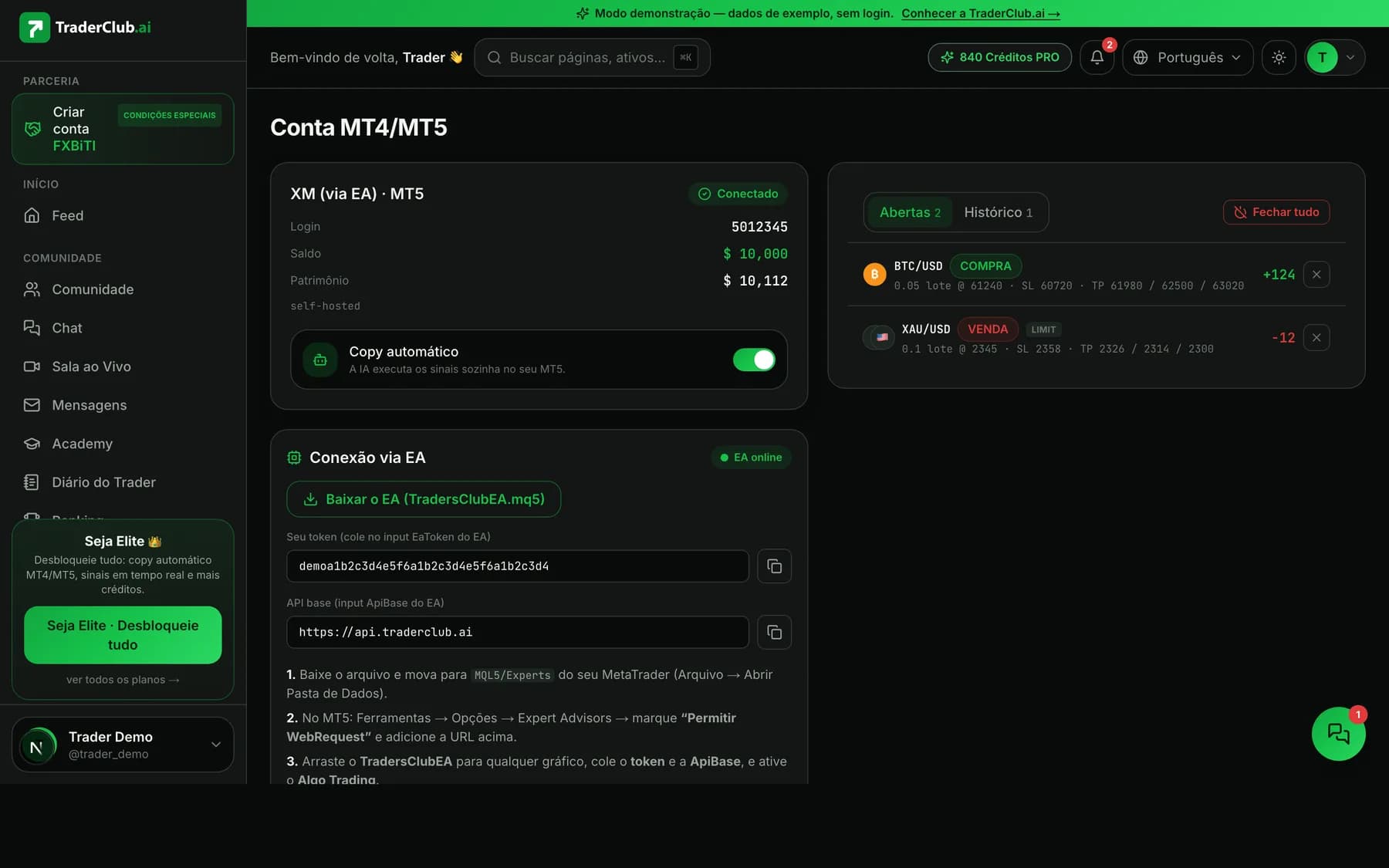
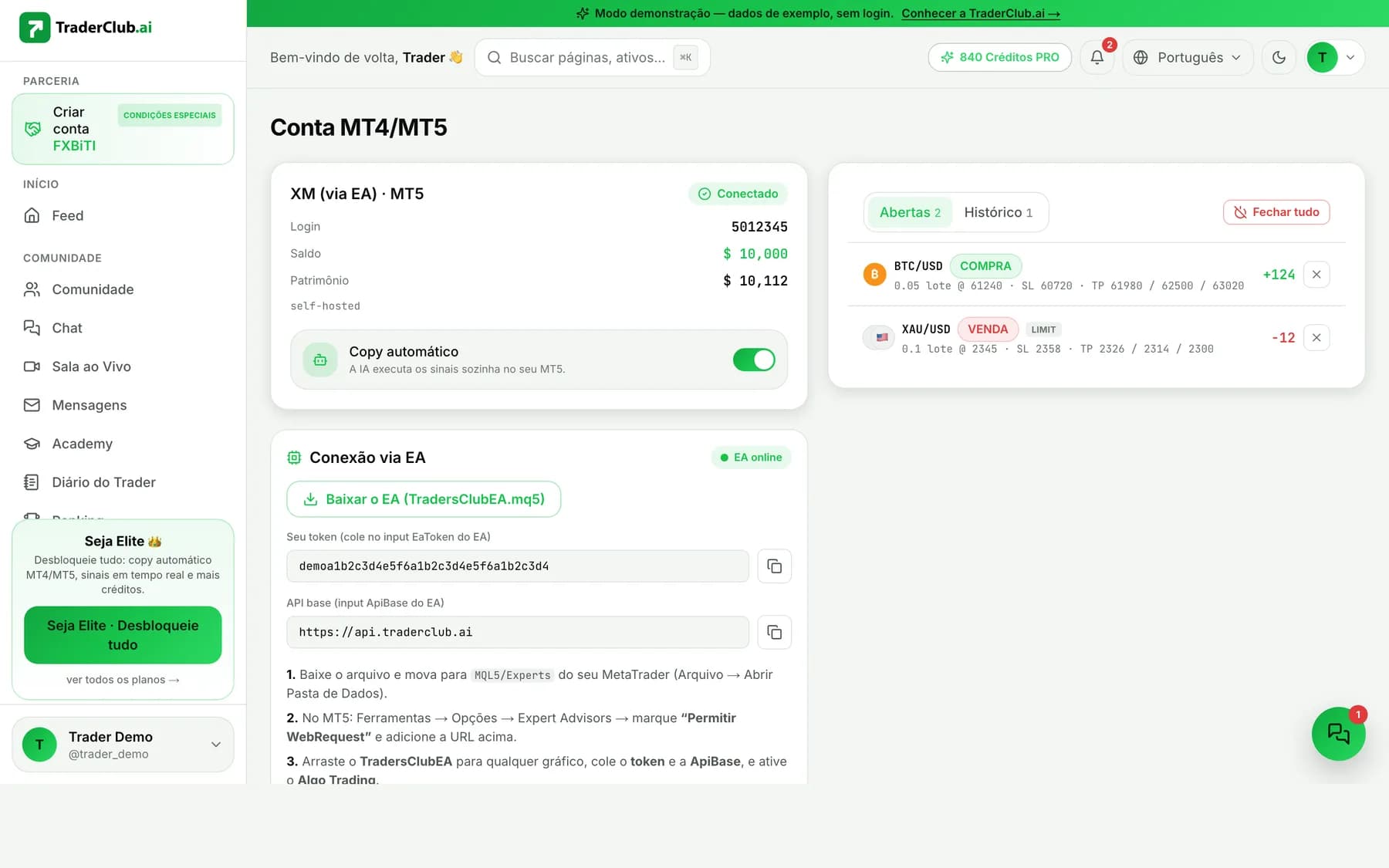
Want to see zero-custody working in practice? Create your account, connect the EA to your own MT5, and watch every order in your terminal — your credentials stay where they always belonged: with you.
Risk warning: trading forex, crypto, and other leveraged instruments carries a high risk of loss and is not suitable for every investor. Zero-custody protects your credentials — it does not eliminate market risk. Past results do not guarantee future results. Never trade capital you cannot afford to lose.